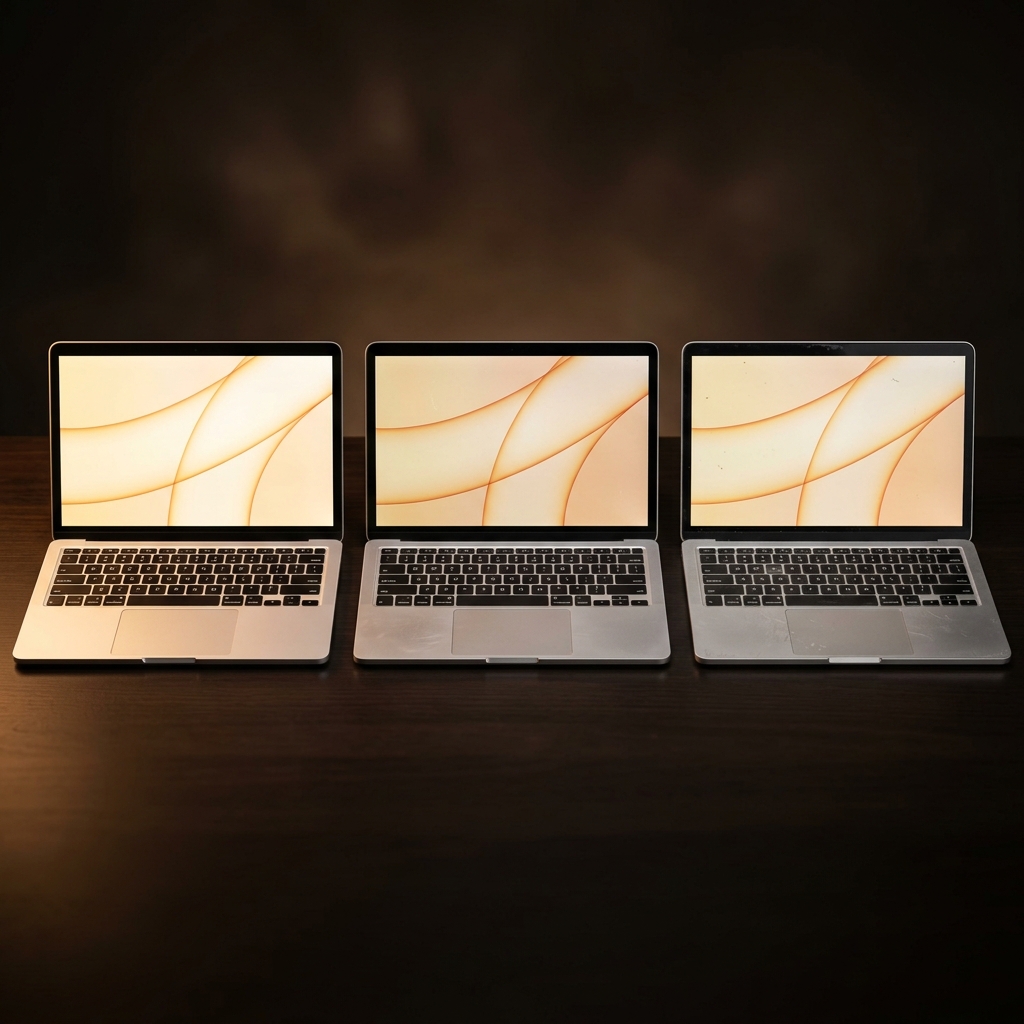
Grade A vs Grade B vs Very Good — Which Should You Choose?
One of the most common questions we get is "what's the difference between Grade A and Grade B?" It's a fair question — the labels can feel vague, and nobody wants to spend money on something sight unseen. So here's an honest, specific breakdown of what each grade actually looks like, and when it makes sense to pay more (or save the difference).
What Each Grade Really Looks Like
Grade A — Like New
A Grade A device looks essentially unused. The screen is clean with no marks. The keyboard shows no shine or wear. The lid and base might have a faint mark if you tilt it under direct light and look carefully, but in normal use, you wouldn't notice. If you put it next to a brand-new device, most people couldn't tell which was which.
Grade A stock is limited — these are typically devices that were lightly used, returned early in a lease cycle, or were display models.
Grade B — Good Condition
Grade B is where the real value lives. These devices have minor cosmetic marks — a small scratch on the lid that you'd only notice at arm's length, a light scuff on the bottom casing, maybe slight shine on the most-used keyboard keys. At a normal working distance, they look fine. No one in a meeting or a coffee shop would notice.
The marks are purely cosmetic. The screen is clean, the ports all work, the keyboard and trackpad function perfectly. It's just that the casing shows it's been used.
Very Good — Visible Signs of Use
Very Good devices have been used and they show it. You might see light scratches on the lid and base, minor scuffs around the ports from cables being plugged in and out, and possibly a small dent or ding on a corner. The screen might have a faint mark or two (not affecting use — we wouldn't sell it otherwise).
These are fully functional machines that have been through a few years of daily work. They've been inspected, tested and cleaned, but they won't win any beauty contests.
The Price Difference
The gap between grades varies by model, but as a rough guide:
- Grade A to Grade B: typically £30-£80 difference
- Grade B to Very Good: typically £20-£50 difference
- Grade A to Very Good: the total difference can be £50-£120
On a £400 laptop, that's a meaningful saving. On a £900 machine, it's proportionally smaller but still worth considering.
When Grade A Makes Sense
- Gifts — if you're buying for someone else, cosmetic condition matters more than when you're buying for yourself.
- Client-facing work — if you're in meetings where people notice these things, the extra cost is worth it for the peace of mind.
- Personal preference — some people simply want their tech to look pristine. That's legitimate.
When Grade B Is the Smart Choice
- Home use — the laptop sits on your desk or your lap. Nobody's inspecting it.
- Students — you need a reliable machine and you'd rather spend the savings on RAM or storage.
- Budget-conscious buyers — every pound saved on cosmetics is a pound you can put toward better specs.
Grade B is our most popular grade by volume. Most buyers, once they see the device in person, wonder what they were worrying about.
When Very Good Is Fine
- A second machine — a workshop laptop, a spare for when you travel.
- Kids — it's going to get scratched anyway.
- Maximum value — you want the best specs for the lowest price and you genuinely don't care about cosmetics.
What They All Have in Common
Every device, regardless of grade, goes through the same process:
- 30-point inspection covering hardware, components, battery, screen and ports
- Data sanitisation and fresh OS installation
- Quality assurance check by a second technician
- 12-month warranty covering hardware defects and failures
- 30-day returns, no questions asked
The laptop doesn't know what grade it is. A Grade B boots just as fast, runs the same software and lasts just as long as a Grade A. The only difference is what the outside looks like — and honestly, once you put a sticker on the lid or slip it into a case, even that difference disappears.
If you're still unsure, you're welcome to visit our Belfast store and see the grades side by side. Sometimes the best way to decide is to hold them in your hands.
Related Products
- Dell Latitude 7430 — Grade B, 12th-gen i5, 16GB RAM
- Lenovo ThinkPad X1 Carbon Gen 10 — Grade A, 12th-gen i7, 16GB RAM
- HP ProBook 450 G9 — Very Good, 12th-gen i5, 8GB RAM